

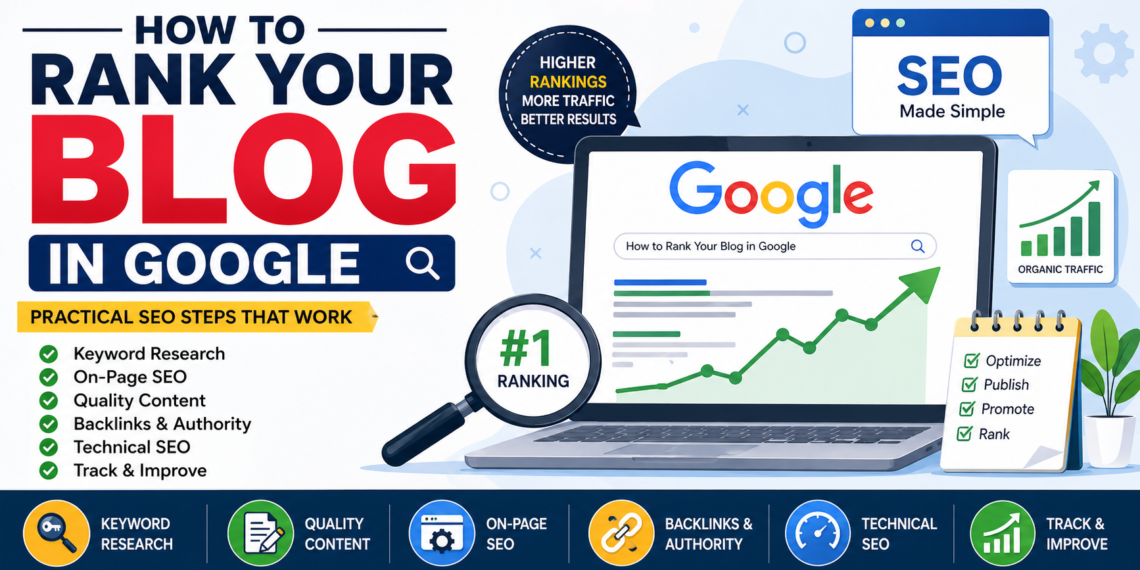
What is Blog Ranking in Google
Last updated on May 11th, 2026 at 08:08 am
If you publish blogs online, you’ve probably wondered why some articles appear on the first page of Google while others stay invisible. That difference is called blog ranking.
Google uses hundreds of ranking factors to decide which content deserves visibility. Understanding how blog ranking works helps bloggers, businesses, and marketers increase organic traffic and reach the right audience.
Featured Snippet Definition:
Blog ranking in Google refers to the position a blog post appears in Google search results for a specific keyword or query. Higher rankings usually lead to more visibility, clicks, and organic traffic because users often choose results shown on the first page.
Table of Contents
- What Does Blog Ranking Mean?
- Why Google Rankings Matter
- How Google Decides Blog Rankings
- Important SEO Factors for Blog Ranking
- How to Rank Your Blog Higher on Google
- Common Blog SEO Mistakes
- Blog Ranking Checklist for Beginners
- Best Tools for Blog SEO
- FAQs
- FAQ Schema HTML
What Does Blog Ranking Mean?
Blog ranking refers to the position your blog post holds in Google search results for a specific keyword.
For example, if someone searches “best SEO tips for beginners” and your blog appears as the third result, your ranking is #3 for that keyword.
Higher rankings matter because most users rarely visit the second page of Google. Better visibility leads to:
- More website traffic
- Higher brand awareness
- Better lead generation
- Increased sales or conversions
- Greater authority in your niche
Why Google Rankings Matter
Google processes billions of searches daily. Ranking your blog properly helps users discover your content naturally without paid advertising.
Here’s why ranking matters:
| Benefit | Impact |
|---|---|
| Organic Traffic | Brings free visitors consistently |
| Brand Trust | Higher-ranked sites appear more credible |
| Better Engagement | Relevant users stay longer |
| More Leads | Quality traffic improves conversions |
| Long-Term Growth | SEO results compound over time |
Unlike paid ads, SEO traffic can continue for months or years if your content stays relevant.
Understanding How Google Ranks Blogs
Google’s goal is simple: show the most helpful content to users. It evaluates:
- Relevance (does your blog match the search intent?)
- Quality (is it helpful and original?)
- Authority (do others trust your content?)
- User experience (is it easy to read and navigate?)
If your blog satisfies these, ranking becomes much easier.
Keyword Research Basics
Before writing anything, you need to know what people are searching for.
Steps to Find Keywords:
- Use tools like Google autocomplete
- Analyze competitors
- Look for long-tail keywords (easier to rank)
- Focus on search intent
Example:
Instead of “SEO,” use “how to rank your blog in Google step by step.”
On-Page SEO for Blog Ranking
On-page SEO ensures your blog is optimized for both users and search engines.
Key Elements to Optimize:
- Title (include primary keyword)
- Meta description (clear and benefit-driven)
- URL (short and keyword-rich)
- Headings (H1, H2, H3 structure)
- Image alt text
- Internal links
Content Writing That Ranks on Google
Great content is the backbone of SEO.
What Makes Content Rank?
- Clear structure
- Easy readability
- Practical value
- Updated information
If you want to master content strategies and real-world SEO skills, enrolling in a digital marketing training program can significantly speed up your learning curve.
Writing Tips:
- Use short paragraphs
- Add bullet points
- Answer user questions
- Avoid fluff
Technical SEO Essentials
Even great content won’t rank if your website has technical issues.
Important Factors:
- Fast loading speed
- Mobile-friendly design
- HTTPS security
- Clean site structure
Building Backlinks the Right Way
Backlinks act as “votes of trust” for your blog.
How to Get Backlinks:
- Guest posting
- Writing valuable content
- Networking with bloggers
- Sharing on social media
Avoid spammy links—Google penalizes them.
Internal Linking Strategy
Internal links help Google understand your website structure.
Best Practices:
- Link to related posts
- Use descriptive anchor text
- Avoid over-linking
For example, if you’re serious about learning SEO and blogging, exploring a digital marketing course in dehradun can give you structured guidance and hands-on experience.
Blog SEO Checklist
| Task | Status |
|---|---|
| Keyword researched | ✅ |
| SEO-friendly title | ✅ |
| Meta description optimized | ✅ |
| Headings structured | ✅ |
| Internal links added | ✅ |
| Mobile-friendly design | ✅ |
| Page speed optimized | ✅ |
Beginner-Friendly SEO Checklist
✔ Choose the right keyword
✔ Write helpful content
✔ Use headings properly
✔ Add internal links
✔ Optimize images
✔ Improve page speed
✔ Share your blog
Learning SEO the Right Way
While self-learning is great, structured guidance can make a big difference. Programs like the Digiexprt digital marketing course offer practical exposure to SEO, blogging, and ranking strategies that help beginners grow faster.
FAQs
1. How long does it take to rank a blog on Google?
It usually takes 3–6 months depending on competition, content quality, and SEO efforts.
2. Can I rank without backlinks?
Yes, but backlinks significantly improve your chances of ranking higher.
3. How many keywords should I use in a blog?
Focus on one primary keyword and 8–15 related keywords naturally.
4. Is content length important for SEO?
Yes, longer content (1000+ words) often performs better if it provides value.
5. Do images help in ranking?
Yes, optimized images improve user experience and SEO.
6. What is the most important SEO factor?
Content quality and relevance are the most important.
7. Can beginners learn SEO easily?
Yes, with consistent practice and proper guidance.
8. Is SEO better than paid ads?
SEO provides long-term traffic, while ads give instant but temporary results.